Hasan Ali ÇOLAK Air Conditioning and Refrigeration Technician
Ademix Boiler Usage Guide and Error Codes
In this article, we will provide a comprehensive guide on how to use your Ademix boiler, covering radiator temperature adjustment, switching to summer mode, setting hot water temperature, adjusting water pressure, and resolving common error codes. This guide will also include SEO-friendly headings and keywords to help users find solutions more easily.
How to Adjust Radiator Temperature with Ademix Boiler
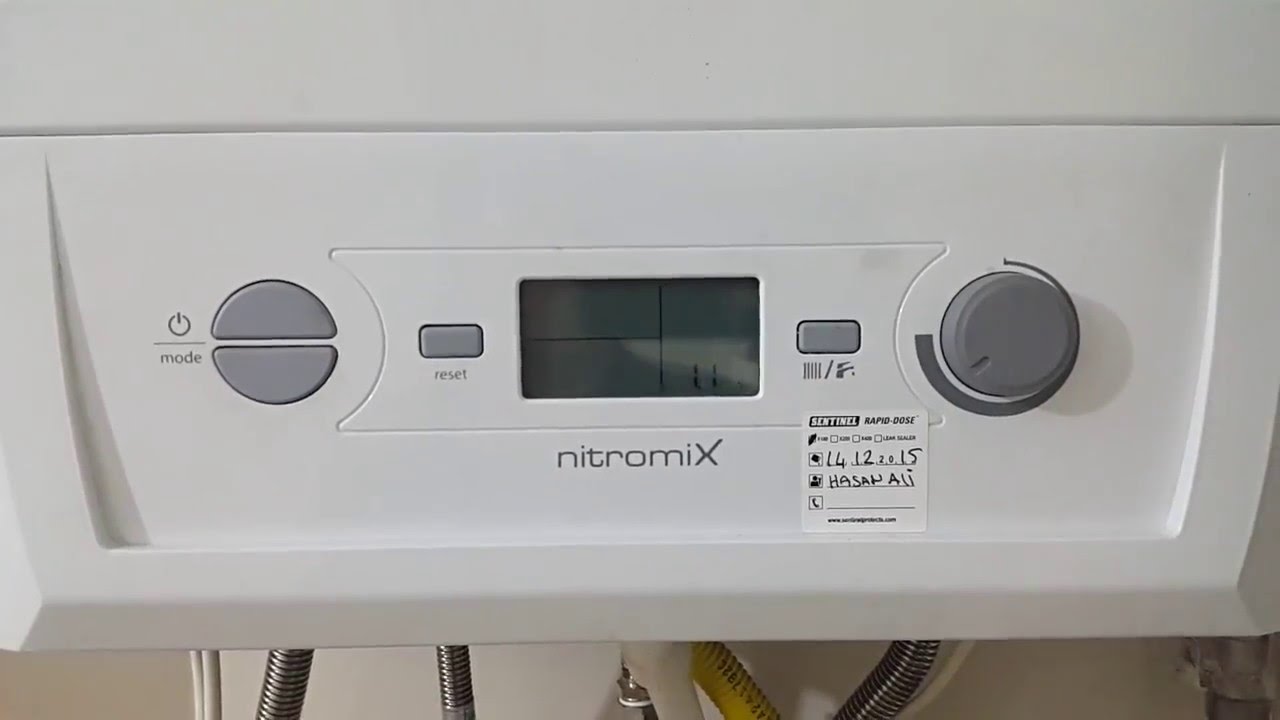
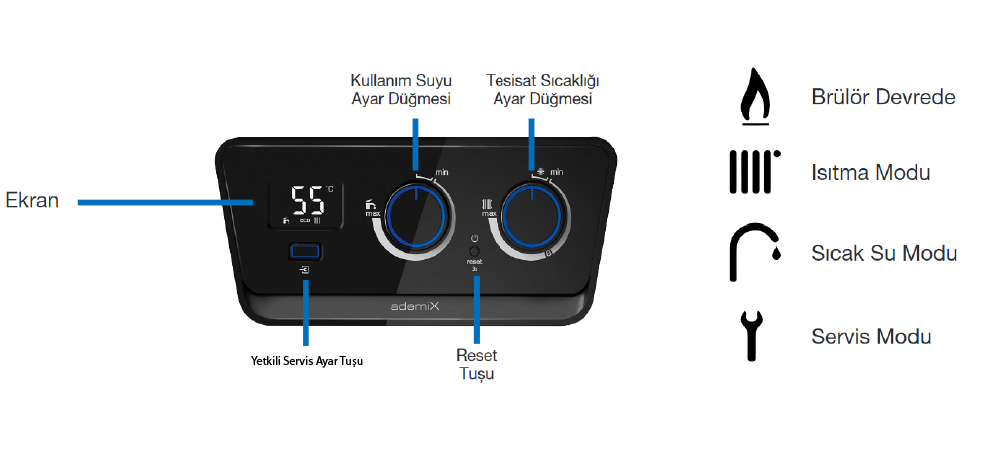
Adjusting the radiator temperature on your Ademix boiler is very simple, thanks to the user-friendly control panel. To set the radiator temperature, turn the heating temperature adjustment knob. The ideal temperature for radiators is 45°C. For better efficiency and lower fuel costs, you can use a room thermostat.
How to Set Ademix Boiler to Summer Mode
To switch the Ademix boiler to summer mode, where only hot water is used and the radiators are turned off, simply turn the heating temperature adjustment knob to the sun symbol, which will deactivate the radiators while still providing hot water.
How to Set Hot Water Temperature on Ademix Boiler
To adjust the hot water temperature, use the left-side hot water adjustment knob on the control panel. The ideal temperature for hot water is 45°C, ensuring a comfortable and energy-efficient setting.
Adjusting the Water Pressure on Ademix Boiler
For optimal performance, the water pressure in your Ademix boiler should be between 1-2 bar, with the ideal pressure at 1.5 bar. To check the water pressure, turn both the hot water and heating temperature adjustment knobs to the off position, and the pressure will be displayed on the digital screen.
If the water pressure falls below 1 bar, open the filling loop valve located under the boiler and fill it until the pressure reaches 1.5 bar. Afterward, close the valve securely.
Ademix Boiler Error Codes and Troubleshooting
Ademix Boiler F22 Error – Low Water Pressure
The F22 error indicates low water pressure in the system. To resolve this, check the water pressure by turning off the hot water and heating settings. Adjust the pressure to 1.5 bar by using the filling loop valve, and the error should be cleared.
Ademix Boiler F28 Error – Gas Supply Issue
The F28 error means there is a gas supply issue. Check that the gas valves on the gas pipes leading to the boiler are open. If you are unsure whether there is gas, try lighting a gas stove if available. If there is no gas, wait until the gas supply resumes, then press the reset button on the boiler for more than 3 seconds to reset it. Once the gas is restored, the boiler should start working normally.
Ademix Boiler Display Shows “No”
If the Ademix boiler displays “No” on the screen, it indicates that the boiler is working for approximately 15 minutes to fill the condensate siphon. This message will disappear after the process is completed.
For those using a modulating thermostat, the temperature cannot be adjusted directly on the boiler. Instead, make temperature changes through the room thermostat. The “No” message will remain on the display in this case.